


 Time: 2025-11-24
  Views: 177

[Foreword]
Decision has been deeply involved in the SAP field for more than 19 years and has been praised by many customers. In order to better help customers implement digital projects, the "Decision Expert Column" is completely free and open source, paying tribute to Musk's open source spirit!
Based on the senior capabilities of Decision's expert consultant team with more than 20 years of SAP experience, combined with Decision's 1,000+ successful project cases, this article summarizes and publishes the corresponding research experience and suggestions of enterprises in promoting ERP project implementation, and continues to escort the SAP implementation and delivery of enterprises.
[Problem description]
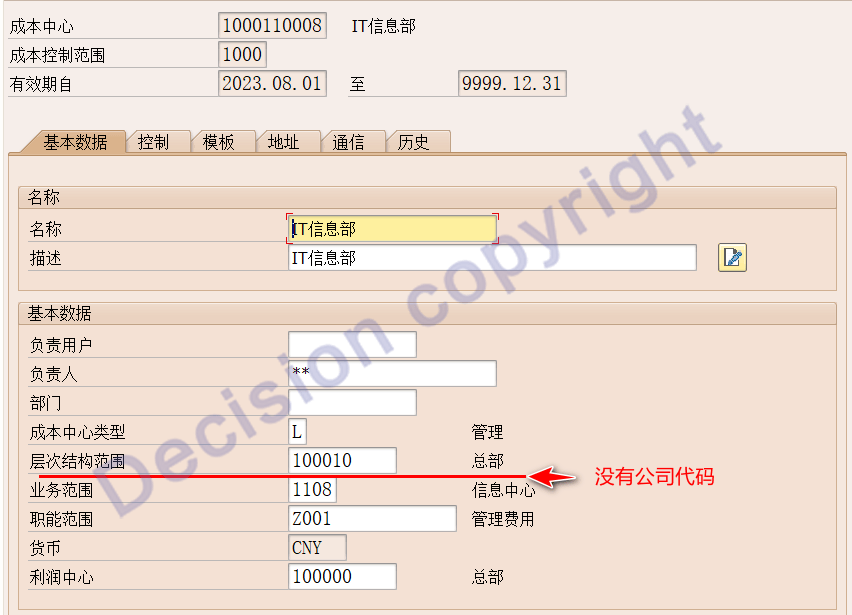
When creating or modifying a cost center using transaction codes KS01/KS02, the screen does not display a code field, preventing the correct input of the company code, as shown in the image below. What could be the reason for this? How can it be resolved?
[Problem Analysis]
1. There are two types of relationships between control scopes and company codes:
① Multiple control scopes correspond to multiple company codes.
② A one-to-one relationship between a control scope and a company code.
The OKKP transaction code configuration in the backend shows the positional specification relationship as shown in the image below:
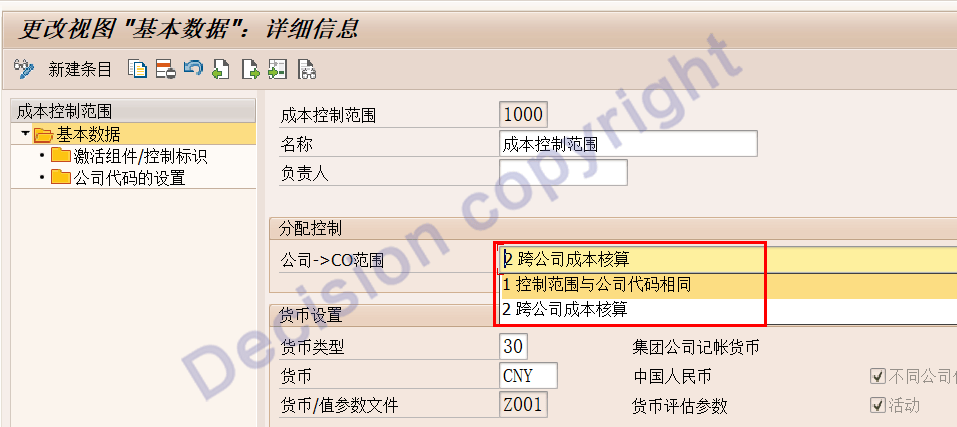
2. If the control range corresponds to multiple company codes, then the KS01/KS02 screen will display the company codes;
If the control range is paired with a company code one-to-one, then the KS01/KS02 screen will not display the company codes.
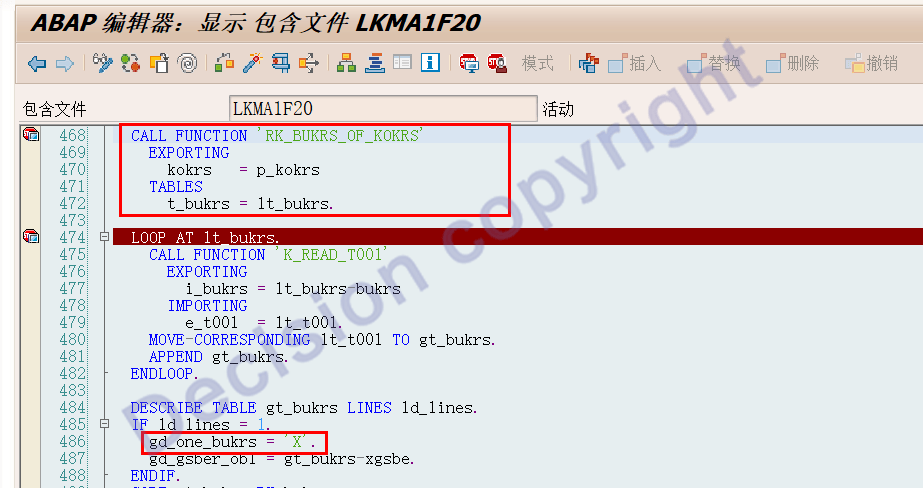
3. The control over the company code on the transaction code KS01/KS02 screen is determined by the following two program segments:
Program: LKMA1F20
Program LKMA1F00.
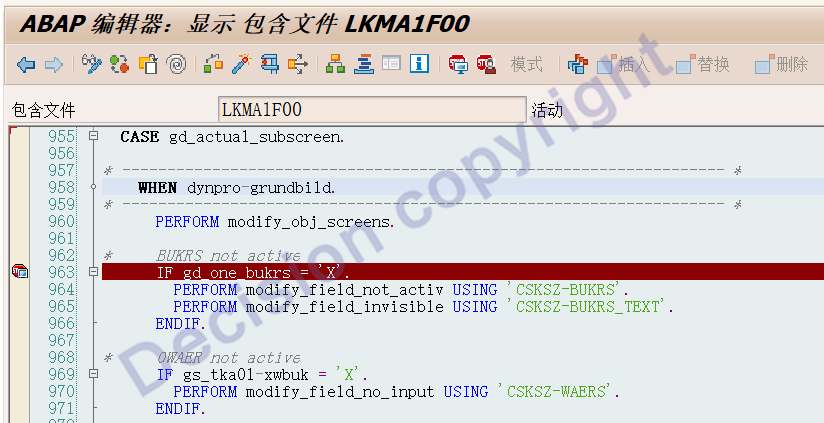
4. The `gd_one_bukrs` parameter in the program controls whether there is only one company code within the specified scope:
① `gd_one_bukrs = X`
Indicates there is only one company code, in which case the company code is not displayed.
② `gd_one_bukrs = empty`
Indicates there are multiple company codes, in which case the company codes are displayed.
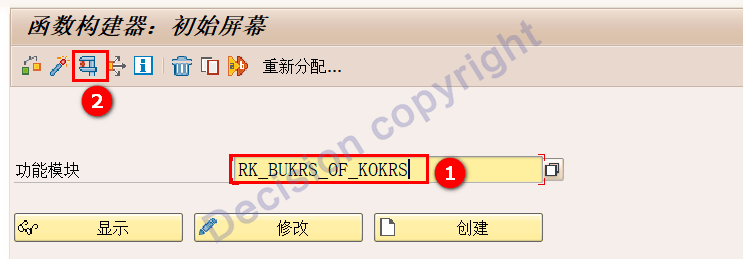
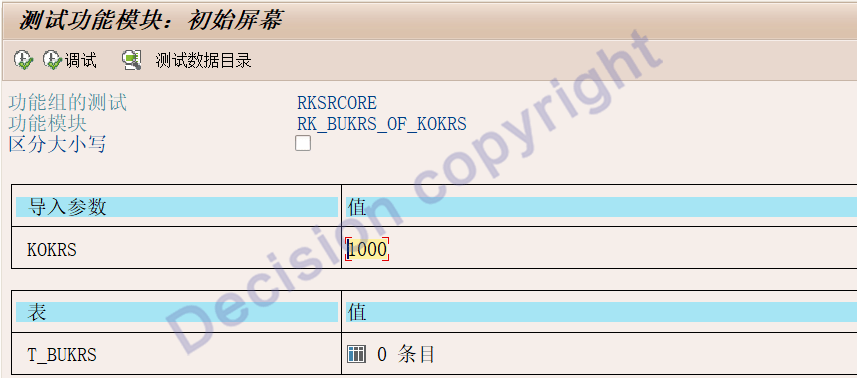
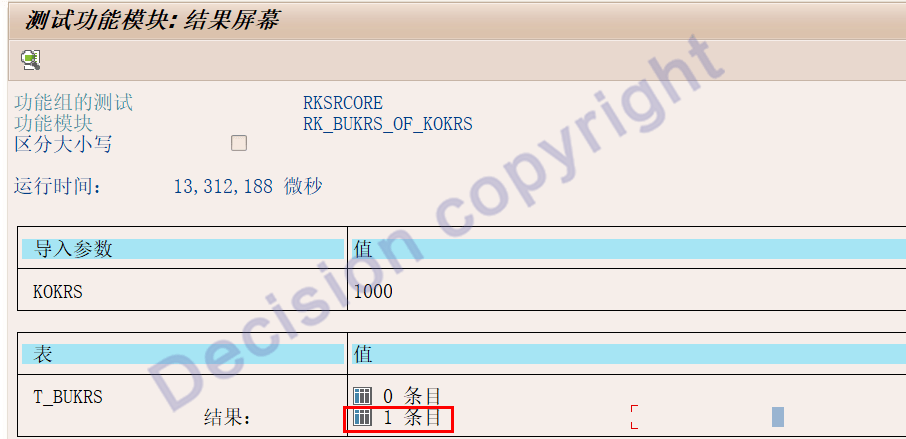
5. The `gd_one_bukrs` parameter in the program is used to determine the number of company codes after the program reads the function `RK_BUKRS_OF_KOKRS`.
You can use transaction code SE37, input the function `RK_BUKRS_OF_KOKRS` point test, and then input the control range to see how many company codes are under the corresponding control range.
[Solution]
Method 1:
Use transaction code OKKP to check how many company codes are under control.
Method 2:
Use transaction code SE37 and the input function RK_BUKRS_OF_KOKRS point test to check how many company codes are under control.
【Service Guide】
For more information on SAP courses, project consultation and operation and maintenance, please call Decision's official consultation hotline: 400-600-8756

【About Decision】
Global professional consulting, technology and training service provider, SAP gold partner, SAP software partner, SAP implementation partner, SAP official authorized training center. Nineteen years of quality, trustworthy!


