


 Time: 2025-08-06
  Views: 608

[Foreword]
Decision has been deeply involved in the SAP field for more than 19 years and has been praised by many customers. In order to better help customers implement digital projects, the "Decision Expert Column" is completely free and open source, paying tribute to Musk's open source spirit!
Based on the senior capabilities of Decision's expert consultant team with more than 20 years of SAP experience, combined with Decision's 1,000+ successful project cases, this article summarizes and publishes the corresponding research experience and suggestions of enterprises in promoting ERP project implementation, and continues to escort the SAP implementation and delivery of enterprises.
[Problem description]
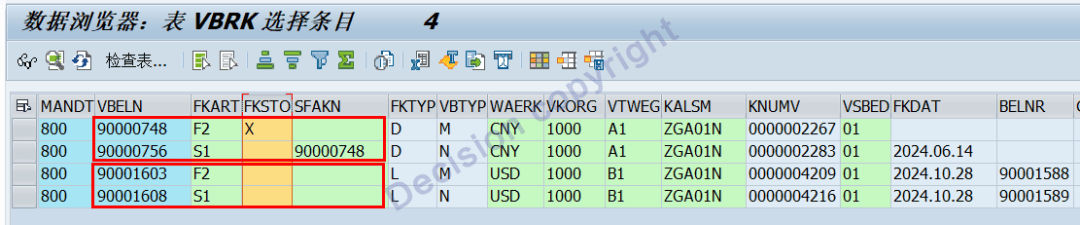
When reversing with transaction code VF11, the original voucher 90000748 and the reversal voucher 90000756 are automatically recorded in the VBRK table. The original voucher 90000748 is reversed with VBRK-FKSTO = X, and the reversal voucher 90000756 corresponds to the original voucher VBRK-SFAKN = 90000748.
However, for other reversals, including original vouchers 90001603 and 90001608, the reversal voucher number SFAKN and the reversal indicator FKSTO are empty in the VBRK table. This causes errors in many custom-developed reports and function logic. What is the cause? How can I resolve this issue?
VBRK table records:
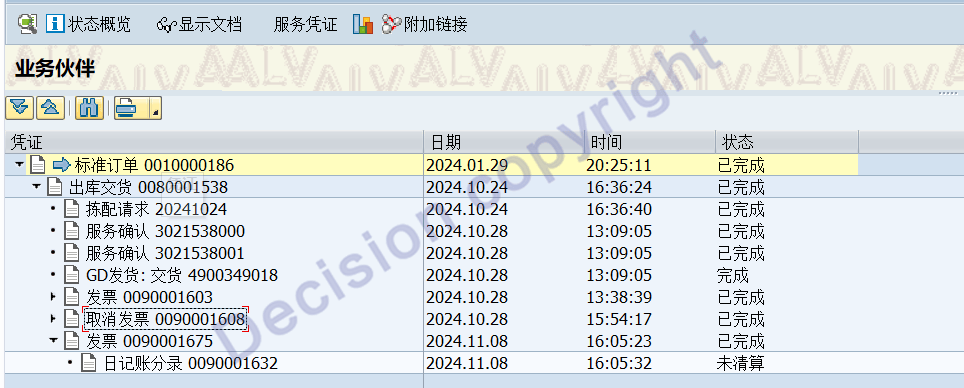
原凭证90001603、冲销凭证90001608 在凭证流中的显示:
[问题分析]
1. When reversing with transaction code VF11, the system has two types of reversals: whole order reversal and line reversal. In general, whole order reversal is the default.
Whole order reversal:
(1) After the system automatically retrieves the original voucher, it is directly transferred to reverse debit and credit for direct posting. It cannot be enhanced, replaced, or exported in many ways.
(2) The sales invoice reversal voucher and the original voucher are a pair of reversal vouchers, and the corresponding financial voucher is also a pair of reversal vouchers.
Line reversal:
(1) The system rereads the pricing process and re-searches the posting account configuration according to the invoice line, and regenerates the FI voucher.
(2) The sales invoice reversal voucher and the original voucher are not a pair of reversal vouchers, and the corresponding financial voucher is not a pair of reversal vouchers.
(3) When regenerating the voucher, rounding may occur, resulting in a difference in the amount between the new and old vouchers.
2. There are three cases in which the system determines that the reversal is line reversal:
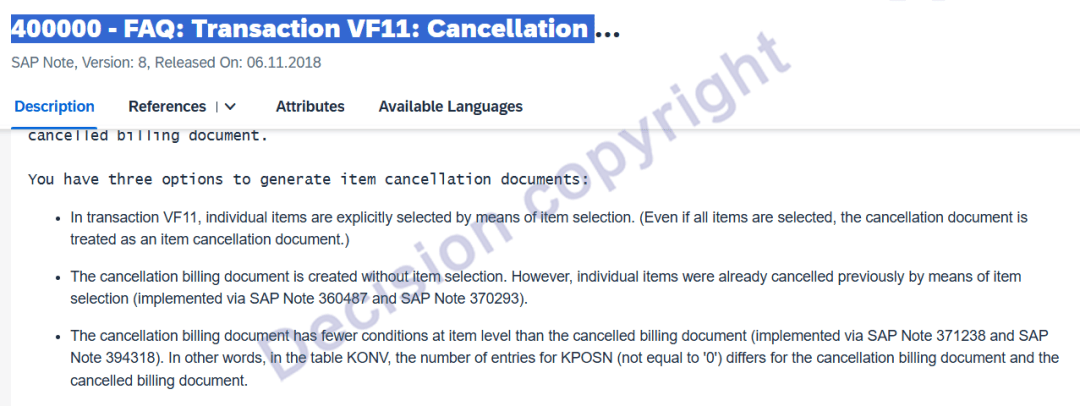
(1) In the VF11 transaction code, when manually selecting to offset by line item, even if all line items are selected, the system still considers the offset to be by line item.
(2) By implementing the following two patches, the offset by line item is selected:
360487 - Cancellation individual items: entire FI-document cancelled
370293 - Runtime error CONVT_NO_NUMBER in Transaction VF11
(3) The condition in the offsetting voucher line item does not add up to zero when compared to the original voucher condition, for example, there is a tail difference.
For example, the original voucher 90001603 and the offsetting voucher 90001608 have the following condition numbers:
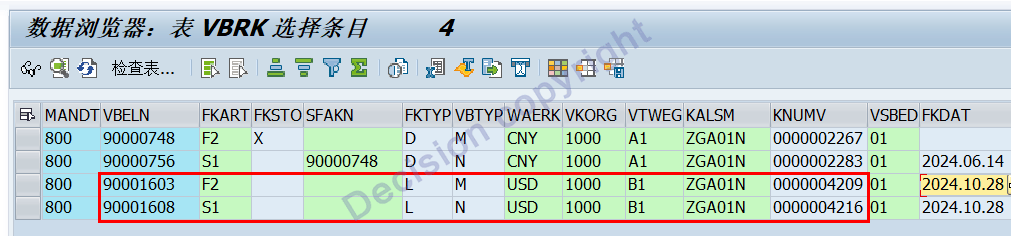

The second line item of the original voucher 90001603, MWSI conditions, has a tail difference of 0.01 yuan.
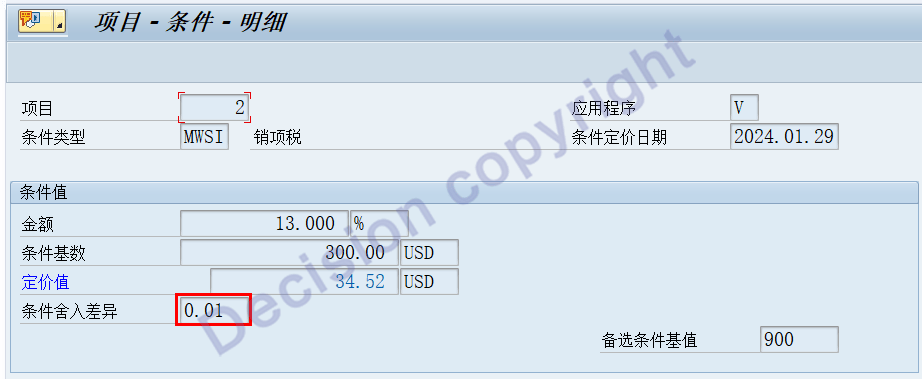
The second line item of the original voucher 90001608, MWSI conditions, no 0.01 yuan difference.

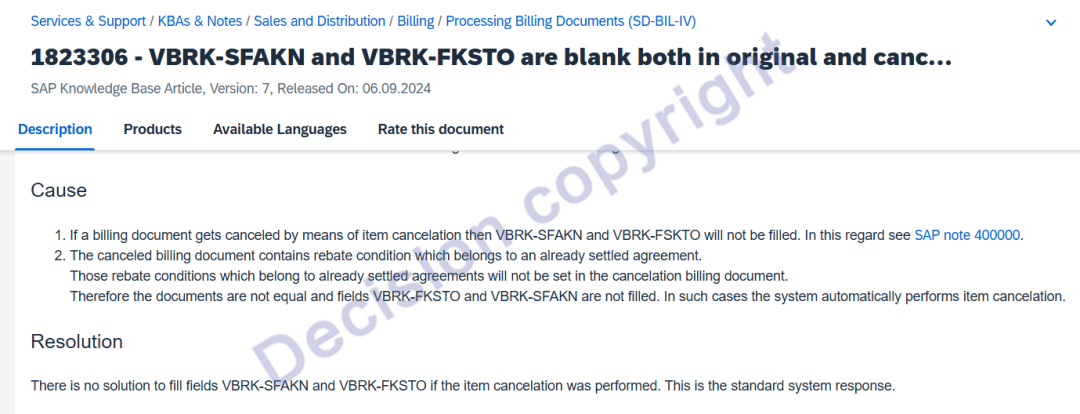
(4) In addition, SAP also explains:
If there is a rebate in the original billing document and the rebate has been settled, the document will be judged as: offset by line.
3. The issue in this case occurred when the user, using VF04 for sales invoicing, selected "Single Invoice." The system popped up a screen for each invoice, asking the user to confirm or enter the invoice date. The user found this too cumbersome and chose "Centralized Invoice."
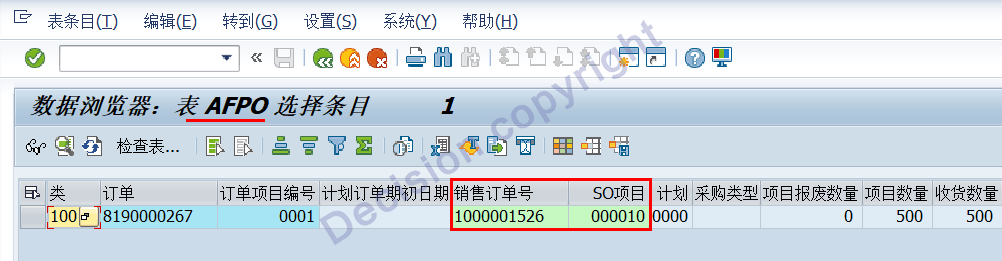
Order settlement rule line item COBRB.

4. Considering the sales order E inventory, only the inventory quantity is managed according to the sales order, and the cost accounting is not broken down by sales order. Therefore, we can consider implementing it with the standard function plus appropriate enhancements.

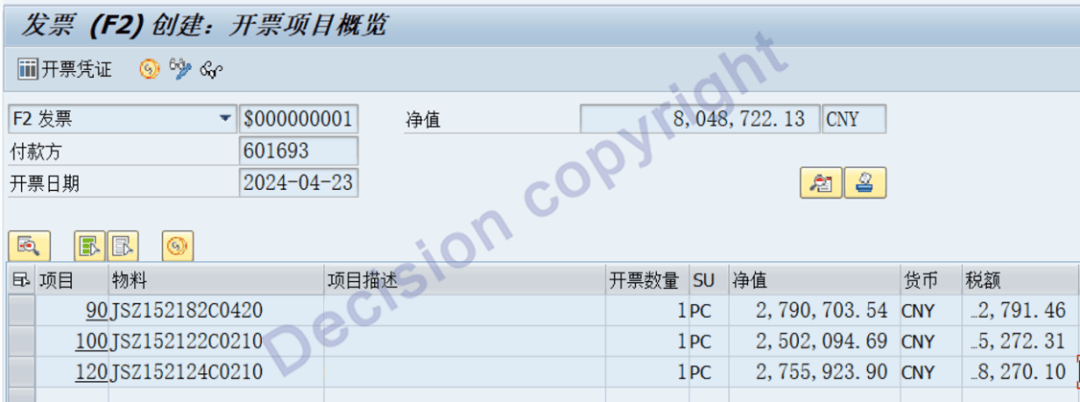
Single Billing Voucher: Generates a separate sales billing voucher for each line.
Clustered Billing Voucher: Combines multiple sales orders for the same customer into a single sales billing voucher.
If a sales order is invoiced incorrectly, the user can choose to reverse the order by line. The following steps are performed:
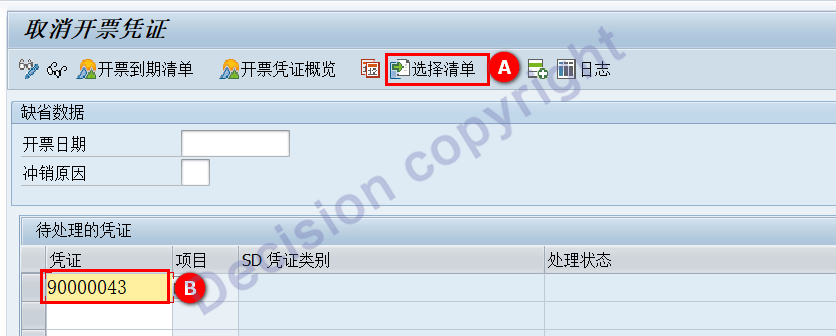
Method 1: Click "Select List"
Method 2: Double-click 90000043

As shown above, even if all line items are selected on this screen, the system still interprets the cancellation as a line item-by-line item cancellation!
[Solution]
1. Optimize the VF04 configuration. Click "Single Billing Document" to eliminate the pop-up window. When using the system to issue invoices, a single sales invoice will be generated for each order, facilitating subsequent VF11 full-order cancellation.
2. In transaction code VF11, perform a full-order cancellation without selecting line items!
3. After verifying the positive and negative correlation of the quantity and amount of the cancellation and the offset, confirm that they are a pair of offsetting documents and update the VBRP table.
NOTES:
1823306 - VBRK-SFAKN and VBRK-FKSTO are blank both in original and cancelation billing document
400000 - FAQ: Transaction VF11: Cancellation of SD billing documents
360487 - Cancellation individual items: entire FI-document cancelled
370293 - Runtime error CONVT_NO_NUMBER in Transaction VF11
147149 - Collective note : Item reversal
399865 - Rounding differences in the item cancellation (Multiple versions available)
371238 - Rebate condition cancelled in CO-PA
394318 - Cancellation billing documents are not completed(ZZCOMPLETE repair tool, use with caution in early versions)
--------------------------------------------------------------------
399865 - Rounding differences in the item cancellation patch
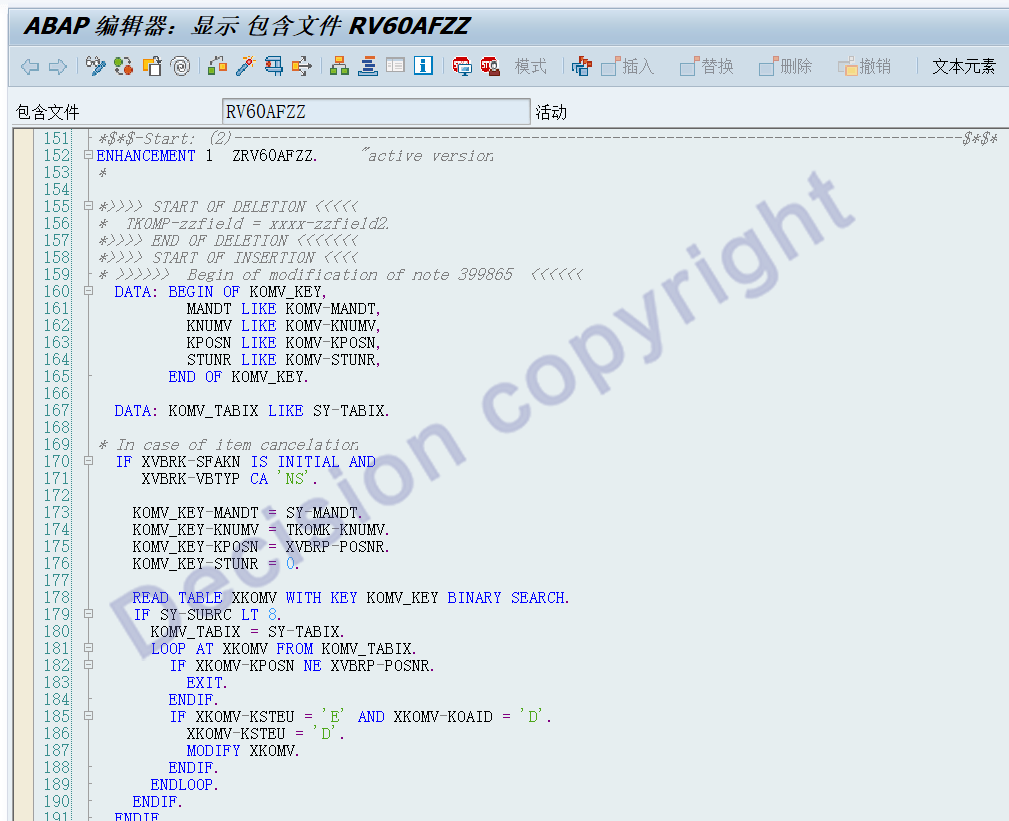
394318 - Cancellation billing documents are not completed Tool program, use with caution in early versions.
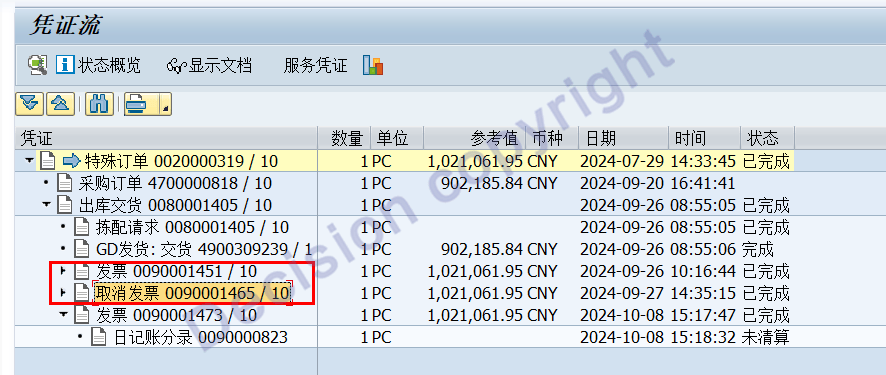
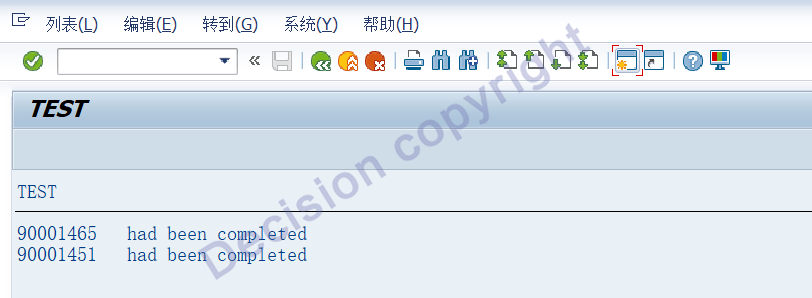
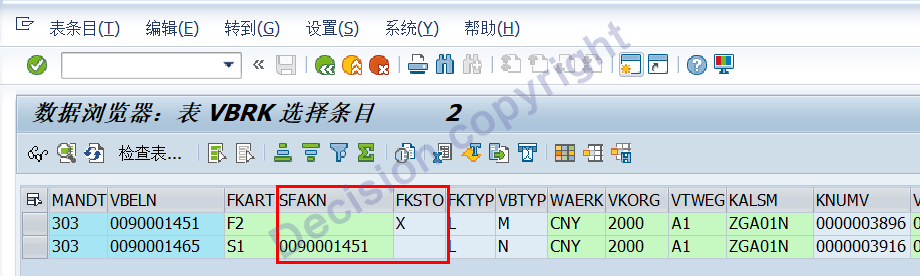
Test system: Original billing document 0090001451 offsets billing document 0090001465.

Tools are patched, tests are run.
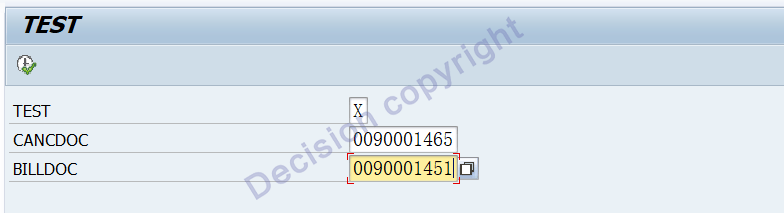
The tool is patched and officially put into operation.
After the repair, check the datasheet VBRP.
【Service Guide】
For more information on SAP courses, project consultation and operation and maintenance, please call Decision's official consultation hotline: 400-600-8756

【About Decision】
Global professional consulting, technology and training service provider, SAP gold partner, SAP software partner, SAP implementation partner, SAP official authorized training center. Nineteen years of quality, trustworthy!


