


 Time: 2025-09-04
  Views: 414

[Foreword]
Decision has been deeply involved in the SAP field for more than 19 years and has been praised by many customers. In order to better help customers implement digital projects, the "Decision Expert Column" is completely free and open source, paying tribute to Musk's open source spirit!
Based on the senior capabilities of Decision's expert consultant team with more than 20 years of SAP experience, combined with Decision's 1,000+ successful project cases, this article summarizes and publishes the corresponding research experience and suggestions of enterprises in promoting ERP project implementation, and continues to escort the SAP implementation and delivery of enterprises.
[Problem description]
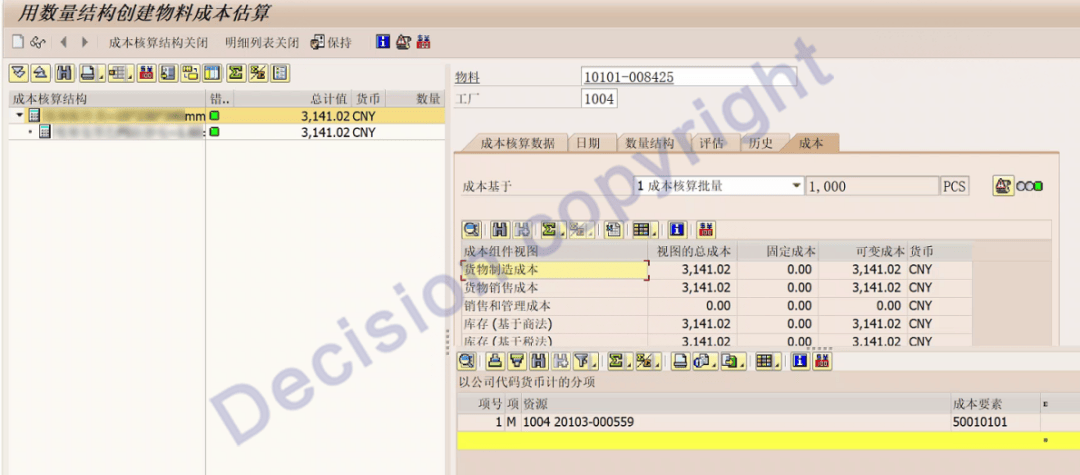
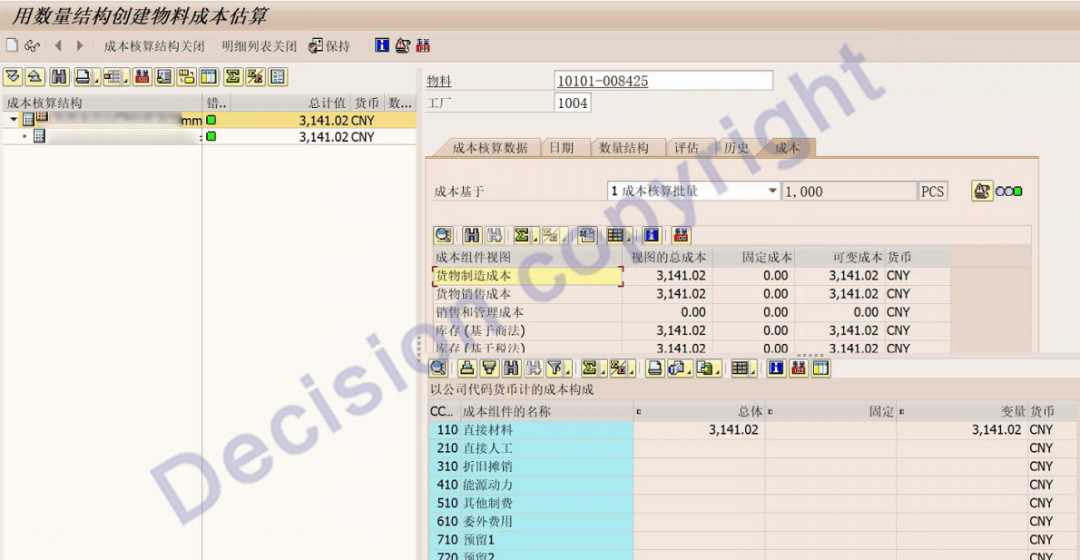
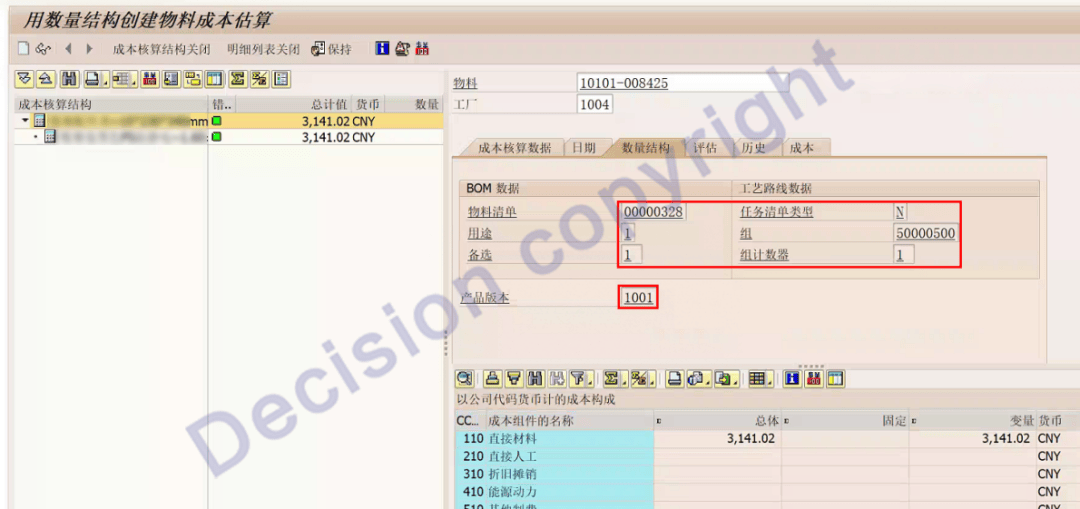
When calculating product standard costs using transaction code CK11N, the standard cost calculation status is green and the corresponding BOM and routing are retrieved. However, the corresponding labor costs are not calculated, only the material costs. What is the reason? How can I resolve this issue?
Note: This case is for production plant 1004, using plant resources 1702, and reporting across companies and plants.
[Problem Analysis]
1. Use transaction code CA03 to view the process routing.
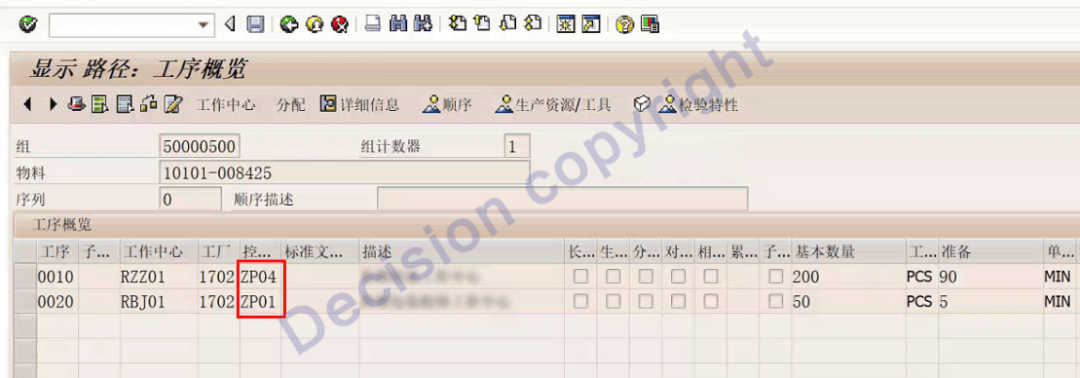
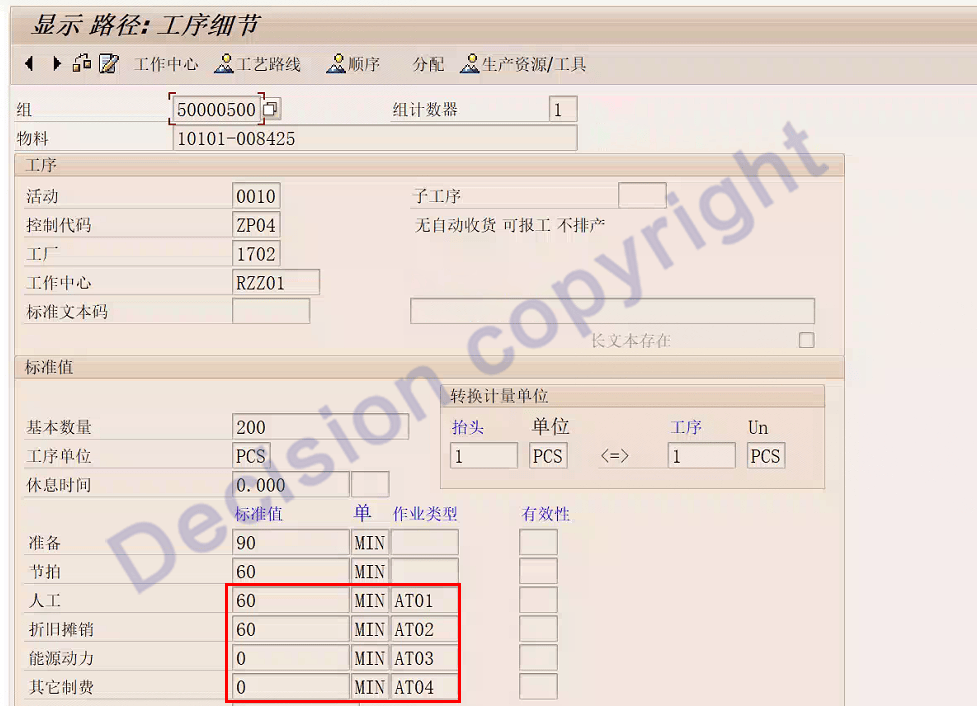
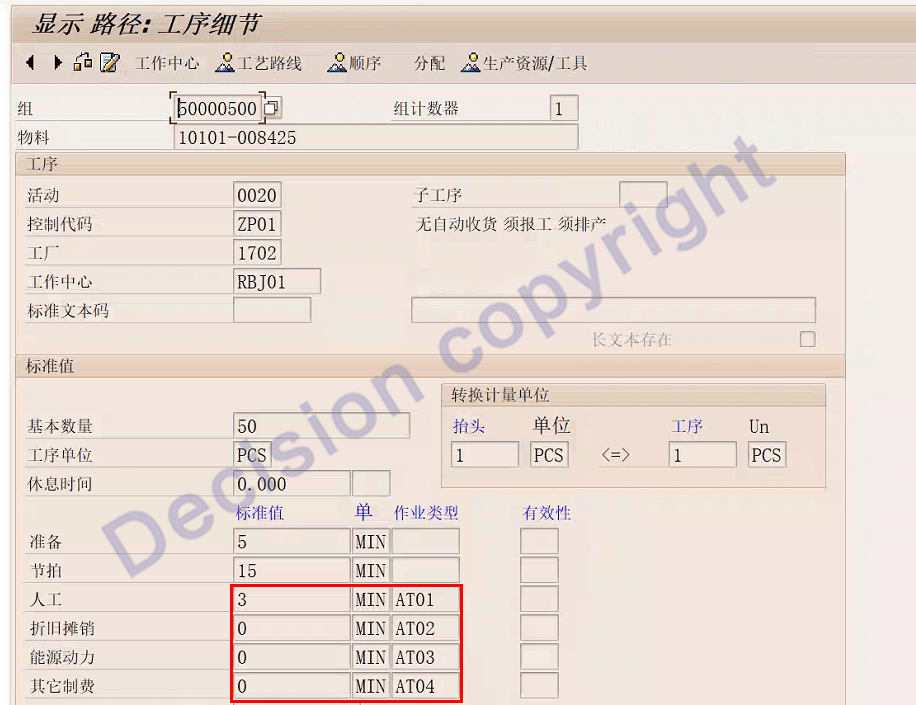
Check the process routing and see that the validity period, standard operation time, and basic quantity are normal.
2. Use transaction code CR03 to view the work center.
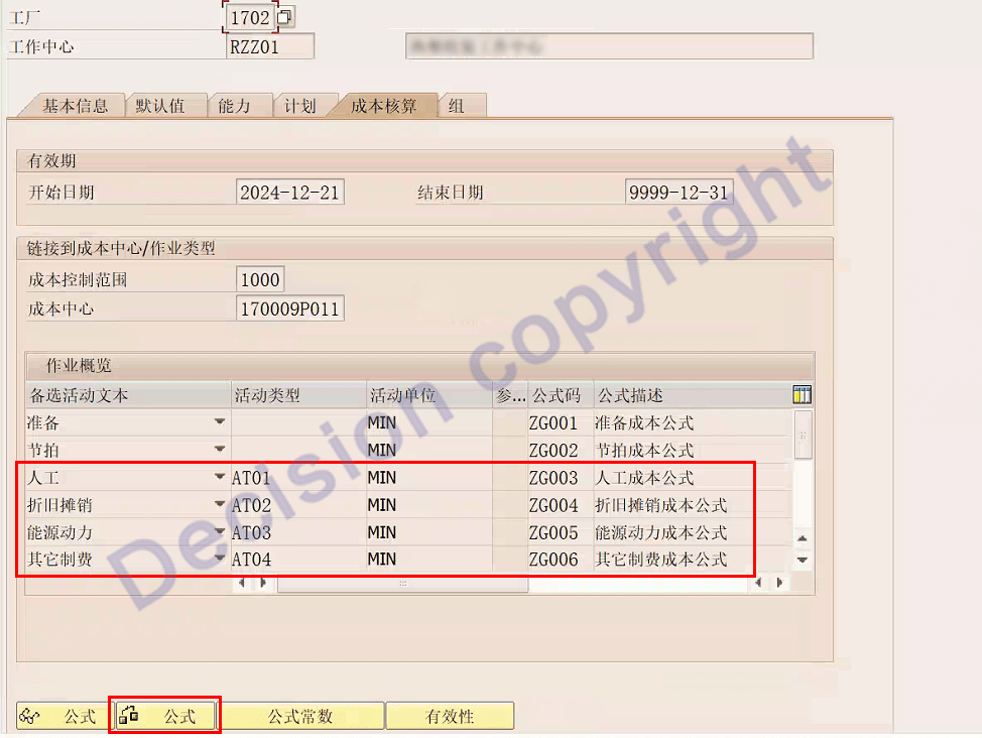
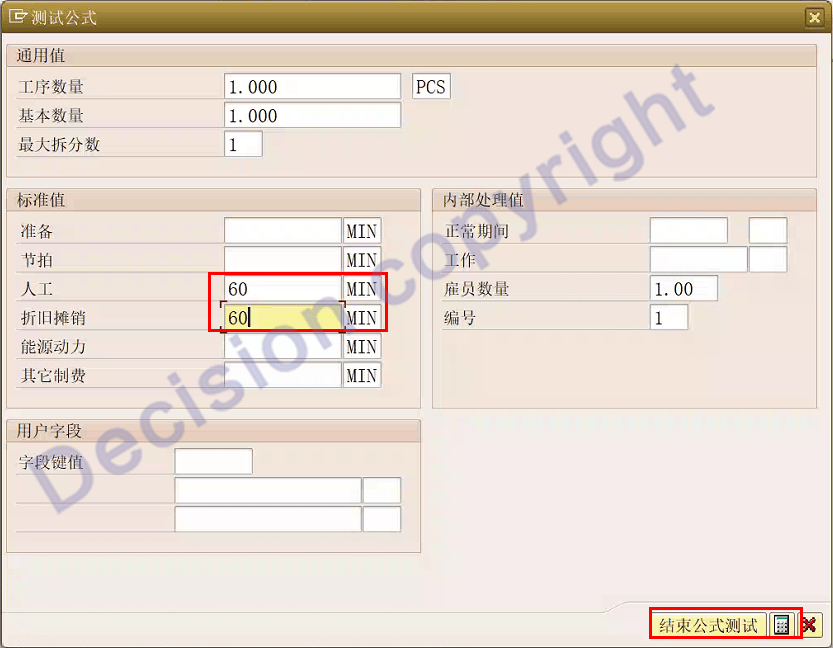

Test the number of workers as shown above.
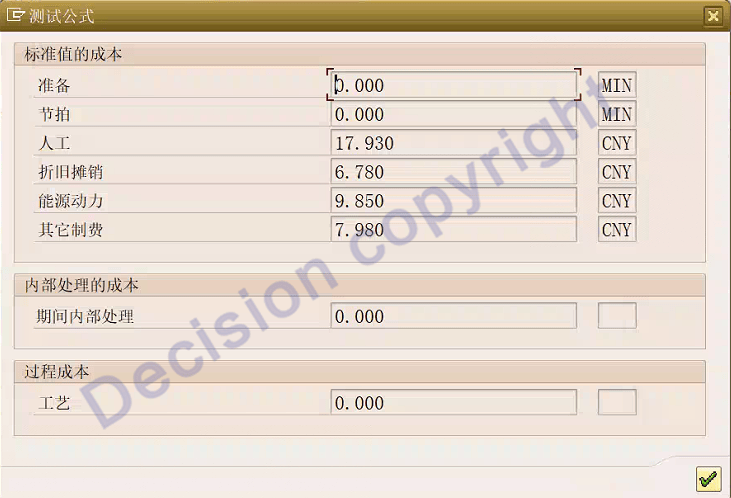
The test is normal.
3. Use transaction code KP26 to view the cost center activity price.
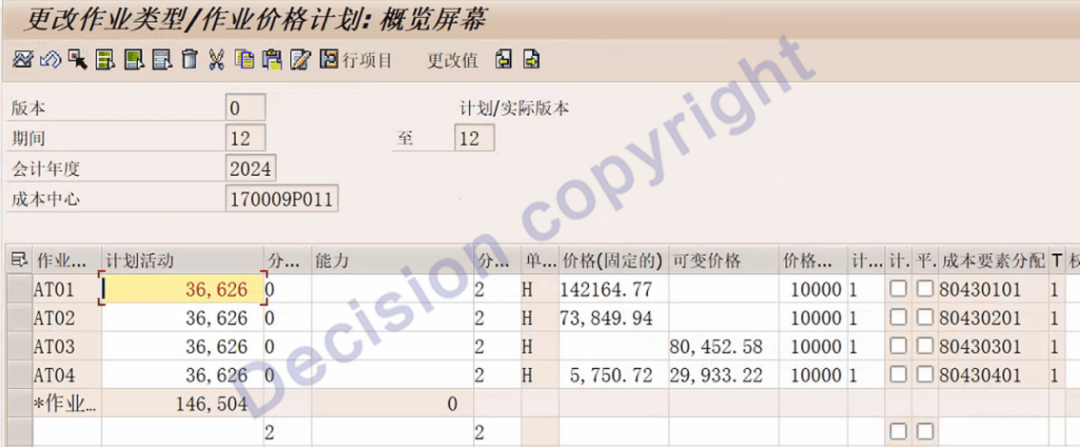
You can see that the job price is normal.
4. Use transaction code CO01 to simulate creating a work order.
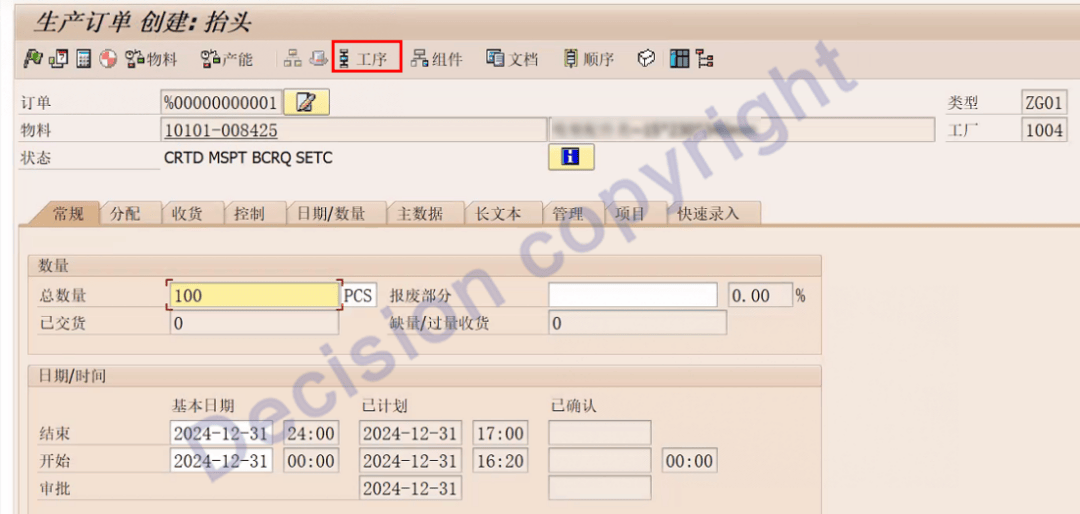
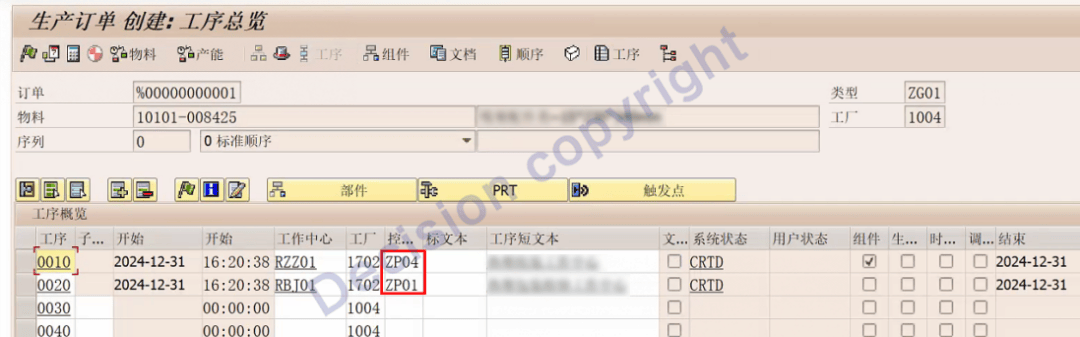
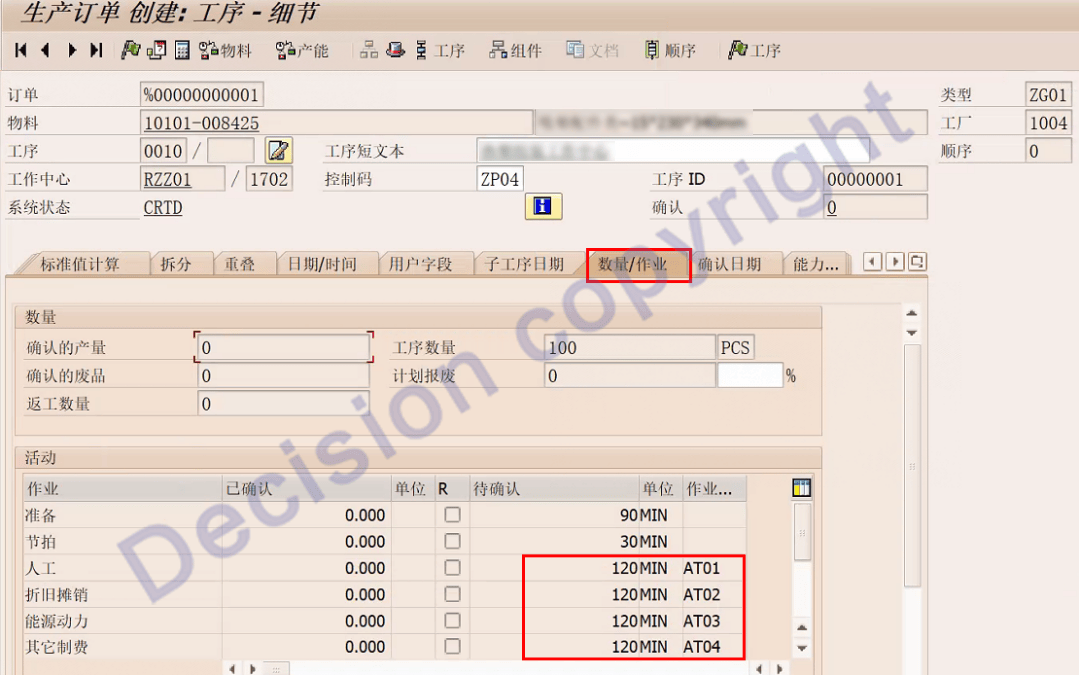
As shown above, after checking the work order process, no issues were found and the data is normal.
Return to the main work order screen to calculate and view the planned cost of the work order.
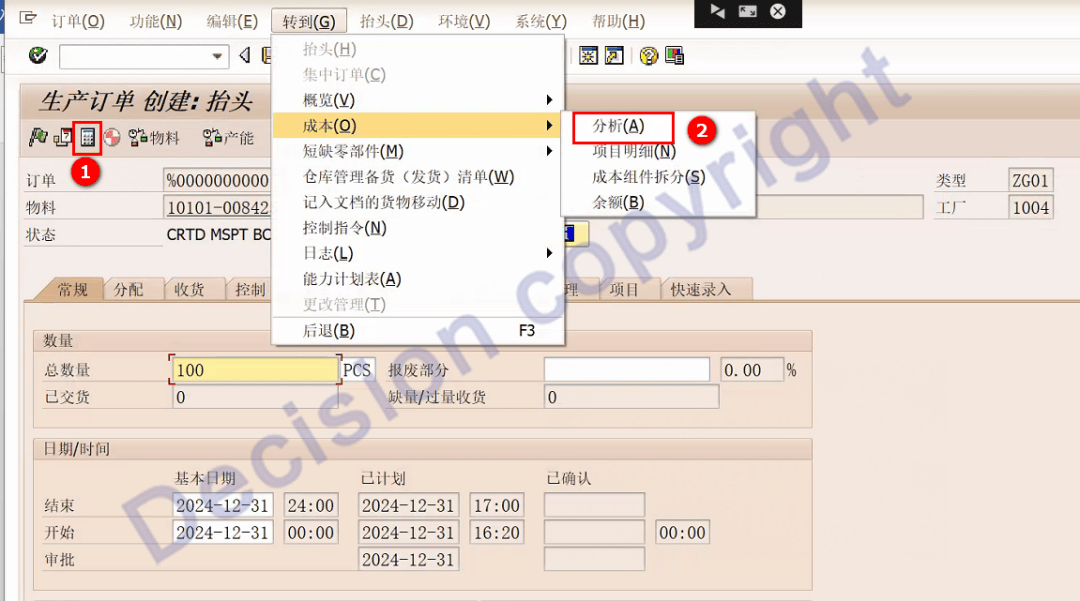
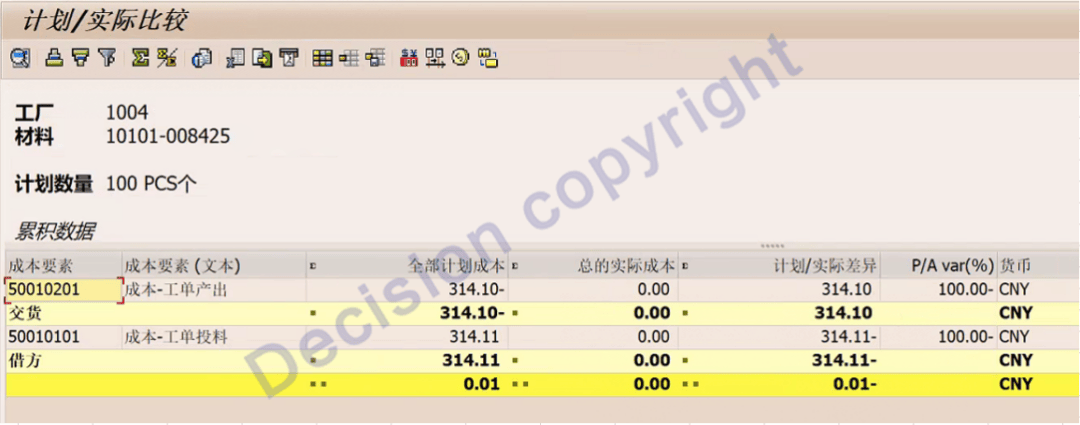
As you can see, there's no labor cost here.
Return to the main work order screen and click on the process.
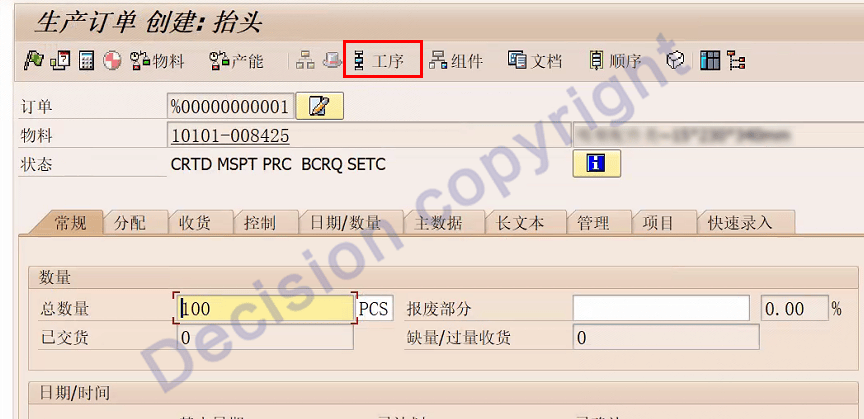
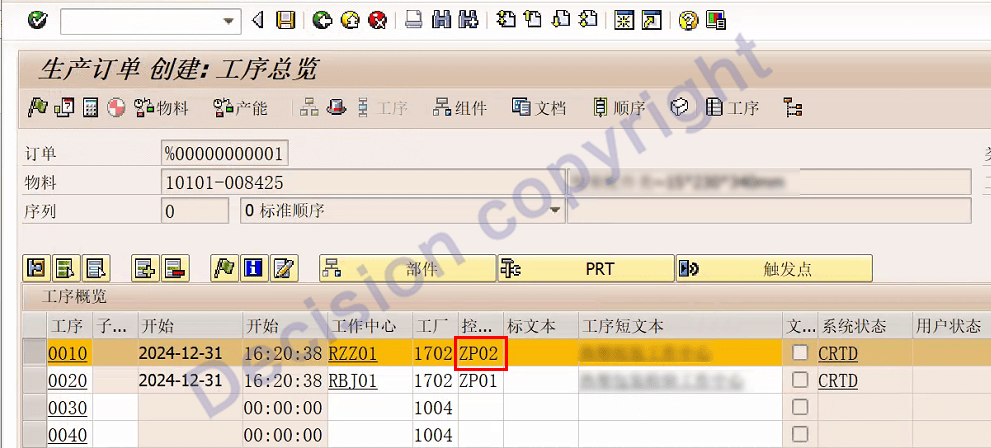
Change the control code ZP04 to ZP02.
Then return to the main work order screen, calculate the work order planned cost, and view the work order planned cost.
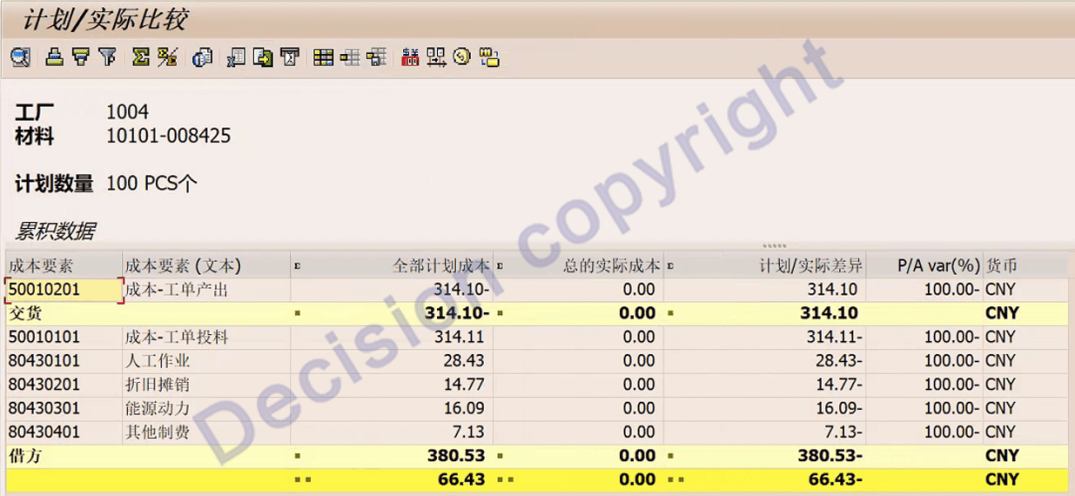
You can see that the labor costs are displayed normally.
5. In summary, there is a problem with the process control code.
6. Use transaction code OP00 to check the process control code configuration.
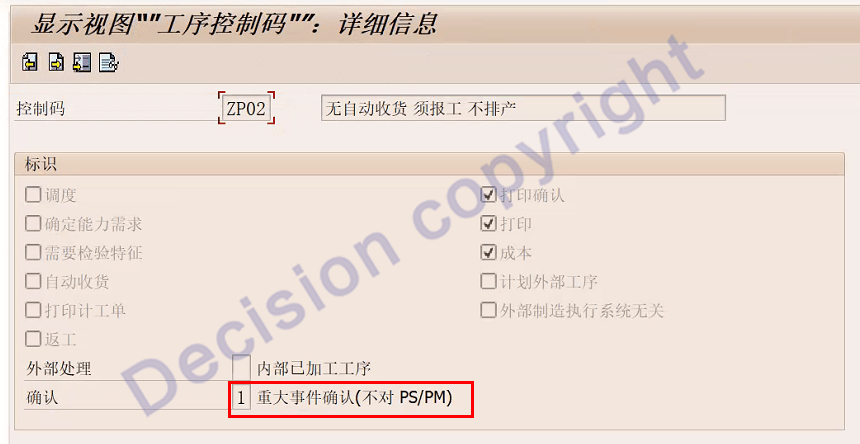
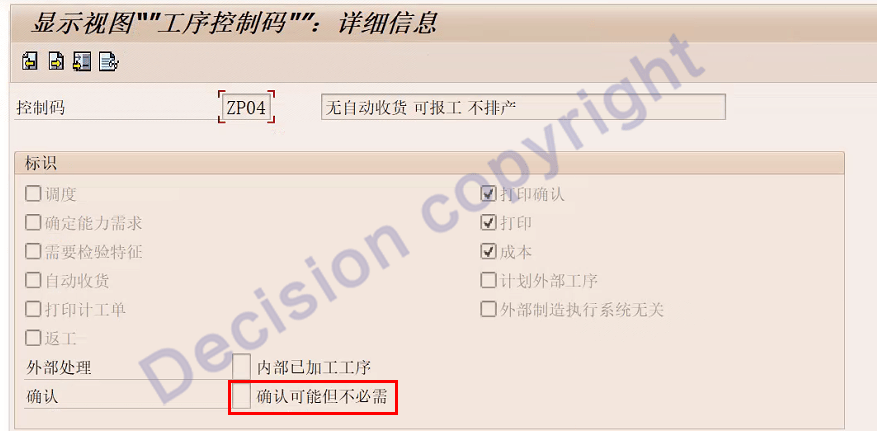
As you can see, control code ZP04 states: "Possible but not required."
Therefore, the default reported cost for planned and standard costs is zero!
[Solution]
1. Select the correct control code for the process, transaction code CA02.
For non-essential work, the planned cost and standard cost will default to zero.
【Service Guide】
For more information on SAP courses, project consultation and operation and maintenance, please call Decision's official consultation hotline: 400-600-8756

【About Decision】
Global professional consulting, technology and training service provider, SAP gold partner, SAP software partner, SAP implementation partner, SAP official authorized training center. Nineteen years of quality, trustworthy!


